GTA 6 Progress Menu: Stats, Challenges and 100% Completion
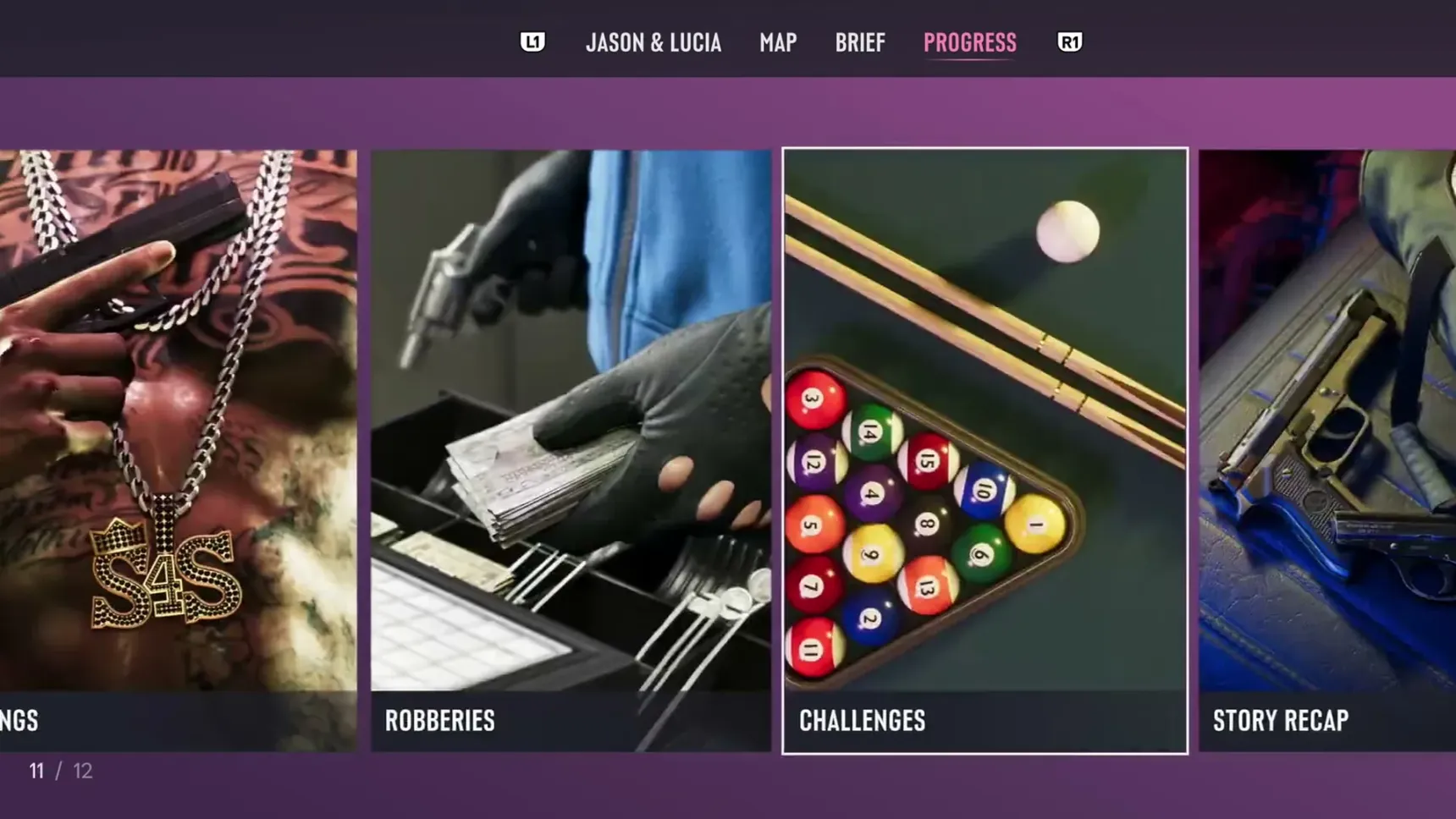
The Progress menu is the last tab of GTA 6's pause map, after  Jason &
 Lucia, Map and Brief, and it keeps track of your whole game in 12 cards, from Stats to Story Recap. 100% completion lives there too, locked until Jason and Lucia's story is finished.
The 12 Progress cards
Pause the game, open the map screen and move along its top tabs to Progress. It opens on a row of picture cards you scroll through, numbered as you go: Stats, Vehicles, Weapons, Animals, Equipment, Collections, Activities, Contacts, Gangs, Robberies, Challenges and Story Recap.
The cards fill in as you play, and some keep what you've let go of: a collectible card stays viewable here after you sell it (see collectibles).
How to unlock 100% completion
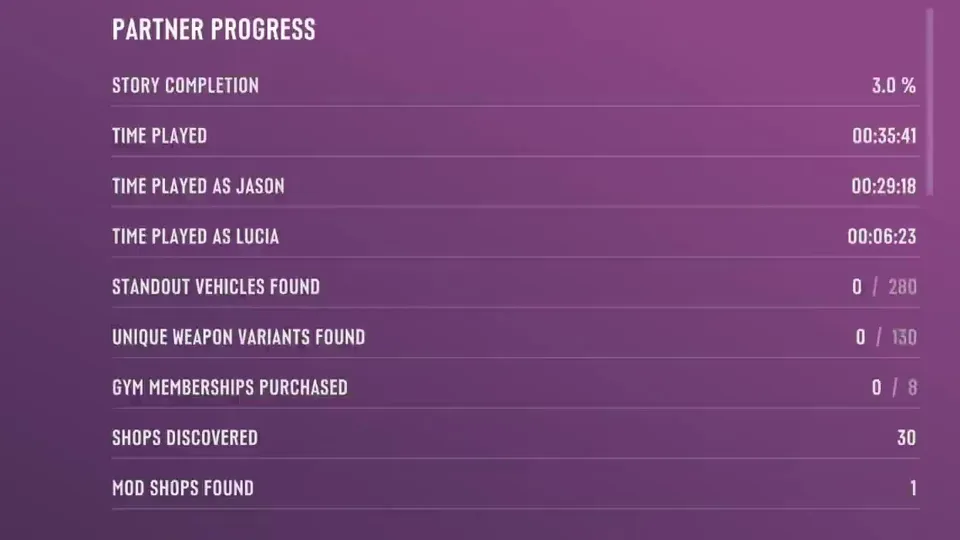
The first line of the Stats card is 100% Completion, with a padlock, and selecting it gives one sentence: finish the story first. Until then, Story Completion under Partner Progress shows how far through the story you are; it read 3.0% after 35 minutes of play.
Completion asks for a lot beyond the story: the trophy A Long Road is earned at 100%, and 70 of the game's 80 challenges are part of it. Two other trophies are set by this menu too: Master of None for trying each type of activity once, and One Last Thing for 50 challenges.
Finish Jason and Lucia's story to unlock 100% completion.
GTA 6 stats
Stats has three tabs, General, Jason and Lucia, and its sections run from Jason & Lucia through Earnings, Spending, Wanted & Heat, Vehicle Theft & Combat and Deaths & Losses to Favorites.
The Jason & Lucia section holds the numbers worth chasing. Partner Progress counts the time each of you has played, the standout vehicles found out of 280, the unique weapon variants found out of 130 (see loadout and weapon lockers), gym memberships bought out of 8, and the shops and mod shops discovered. Further down, it keeps your Wellbeing, every kind of distance you've traveled from walking to flying, and your vehicle upkeep: resprays, repairs, refuels and recharges (see fuel), taxis and rentals.
The last block, Drugs, Food & Ammo, counts Zombix, adrenaline, armor, food, drinks (alcoholic ones apart, see nightlife), cigarettes, cigars, weed, vapes, shots fired and explosives thrown.
Animals list
The Animals card has a tab per list, each a grid of locked tiles until you find the animal: Hunting holds 61, Fishing 35, Mammals 18, Cats & Dogs 34 and Reptiles & Amphibians 6, with Birds and more tabs further along. A locked hunting tile asks you to study the animal, with binoculars or a scope if it's far off; a locked fish asks you to catch it.
Each animal you've studied gets its details here, and the game sends you to this card to see which carcasses  Bret buys (see how to hunt and fishing).
Study for more details. Use binoculars or a scope for distant targets.
Catch this fish for more details.
Activities
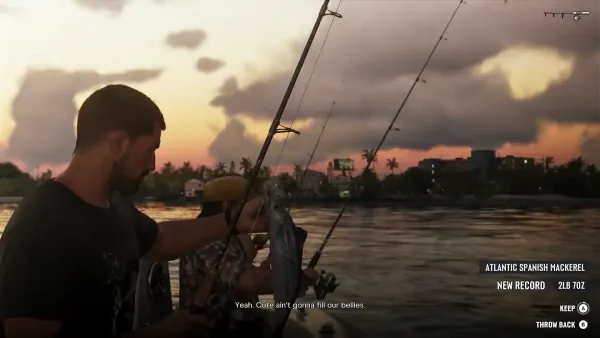
The Activities card lists every activity by type, in tabs: Sports, Racing, Race Challenges, Shooting Ranges, Games, Stunts and Top Fun. Each entry has the game's description and your record in it. Frontier Adventure Golf keeps 9-hole and 18-hole games completed, the best score for each and holes in one; Fishing keeps species and fish caught, fish lost and the largest fish with its weight.
Challenges
Challenges has its own card, between Robberies and Story Recap. They come in eight kinds, survival, combat, fitness, shopping, exploration, vehicle, sports and criminal, and they matter for cheats: 17 of the 61 unlock with challenges, either 5 of one kind or every one of a kind, and finishing all of them earns the P-996 Lazer jet cheat.
Story Recap
Story Recap goes chapter by chapter, with a picture for each mission you've played and a line on what happened. It's the quickest way back into the story after a break:  Prologue, for one, is Lucia meeting a prison counselor about her arrest and an early release.
Lucia meets with a prison counselor to discuss her arrest and the possibility of early release.
The Brief tab
Brief, the tab before Progress, is a log rather than a record: All, Dialogue, Help Text and Objective Text. A phone call you half heard or a help box that vanished too fast can be read again there (see beginner tips).